I really like Standard Notes. It’s a cool, simple little notes app. What makes it cool?
- most notes are stored as plain text — no worries about losing access because of a deprecated proprietary file format
- it’s open source, although the free version is rather limited the subscriptions needed for the extra features are reasonably priced
- it’s really simple: it takes notes in a variety of formats
- it’s versatile: you can style text with Markdown or make checklists or securely store passwords or generate time-based one-time passwords or even make simple spreadsheets — but they’re all notes, and all plain text
- the folks who make it are friendly, competent, and responsive
- it’s privacy-focused
- it keeps revision history
- it creates encrypted backups that are sent by email
- it’s cross-platform
- it synchronizes your notes across devices
One of the few frustrations I’ve found with using Standard Notes is that you can’t search for text within a note. I developed a ritual of selecting all the text in a note, copying it, switching to my text editor, pasting into a new text document, and doing the search from there. Ugh. You can “search” for all the notes that have a certain text string, and sometimes that text string would be highlighted within a note when you looked at it (if you were scrolled to where it was visible), but if you were looking at a note and wanted to find text within it, you had to resort to another program.
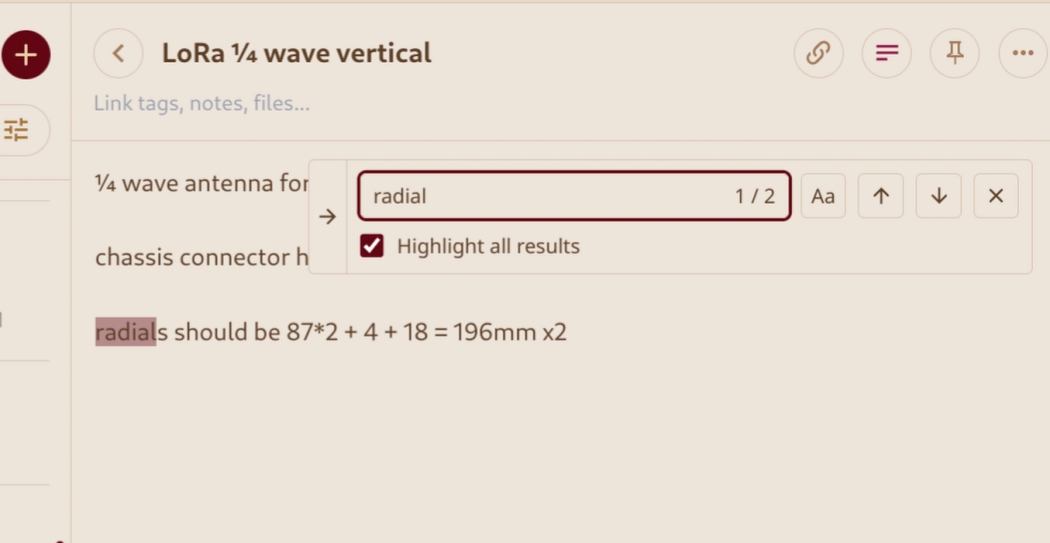
One day not too long ago, I needed to search in a note and, without thinking, typed ctrl-F (the standard Find command) and to my shock and surprise, a little find box popped up. Sometime — apparently in August, now that I look at their blog — they added the Find function. Long gone are the days when software updates were so few that I could read all the release notes for each update, so I had no idea until I accidentally discovered the feature.
Thanks, Standard Notes!
—2p