I bought a Pixel 9 phone back in July. I got a good deal on it, and my Pixel 6 was showing some age. Still, the daunting task of migrating my complex and highly-tuned environment to a new phone kept me from actually making the switch. I was regretting that when the on-off button on my Pixel 6 fell off during a flight on my extended mainland trip. I managed to keep the phone working until I got back to the compound, but it was edgy and inconvenient, as most airlines pretty much require you have a phone these days or wait in long lines to get boarding passes and such.
Of course, I immediately configured the new phone upon my return, didn’t I? No, alas. Instead I bought a replacement button and put off the phone upgrade for another day.
A couple of days ago, in the midst of hurricane Lala pummeling our island, the new button started sticking, forcing the phone into a boot loop. Removing the new button helped, but the phone was still notably unstable. Since communications were proving to be both challenging and essential, I decided that my borrowed time had come due.
The first task was to install GrapheneOS, the most private and secure phone operating environment I know of. I wouldn’t want a phone running any other OS, even if The Man is trying to make running GrapheneOS a crime. Google doesn’t make it easy to upgrade their phones’ systems with ones that deny them the revenue they get from mining all your personal information, but GrapheneOS has done an incredible job of making a secure and easy-to-use web-based installer. They say they don’t support my particular flavor of Linux (Fedora), but they do support flashing using another GrapheneOS phone. I very carefully went through the steps for installing from my old Pixel 6, but when it came to the step where it’s supposed to actually flash, it just hung with an empty progress bar. I tried all kinds of workarounds but got nowhere. I even texted my son — who’s’ a GrapheneOS aficionado — but he couldn’t help.
I thought I’d have to do a complete Ubuntu install on an external drive, but that’s long and laborious. I tried looking online for others with a similar problem, but mine seems to be unique. I suspect most people use a desktop to install, though. I decided to try using Fedora and the Chromium web browser (not Google Chrome, but the open-source codebase on which Chrome is based). I also first installed android tools, as that is part of the recommended procedure when using Debian or Ubuntu. I also disabled the stock firmware updater for the laptop, as there are reports of it hijacking the connection to Android devices. In Fedora, that’s:
sudo dnf install android-tools
sudo systemctl stop fwupd.service
I followed the rest of the procedure for Debian/Ubuntu, and it worked. Yay!
Next I was prompted to restore from a seedvault backup, which I had available. That was slow but painful, and re-installed most of my apps and even restored my screen layout and most settings. “Most,” however, is not all, and I spent the next 2-3 hours installing the apps that won’t let themselves or their settings be backed up. Those are mostly ones whose creators are both paranoid and ignorant and they believe they increase security by inconveniencing users. Right.
The other thing that didn’t restore were web apps. I actually use a handful of them regularly. They won’t be hard to re-create since I still have the old phone available and it mostly works, but it would have been a pain had the phone died completely or been lost.
That done, I was at the last step. I went to the Consumer Cellular website and followed the nice, clear, straightforward steps to activate the new phone. When it came to the final scan-the-QR-code step, I got:
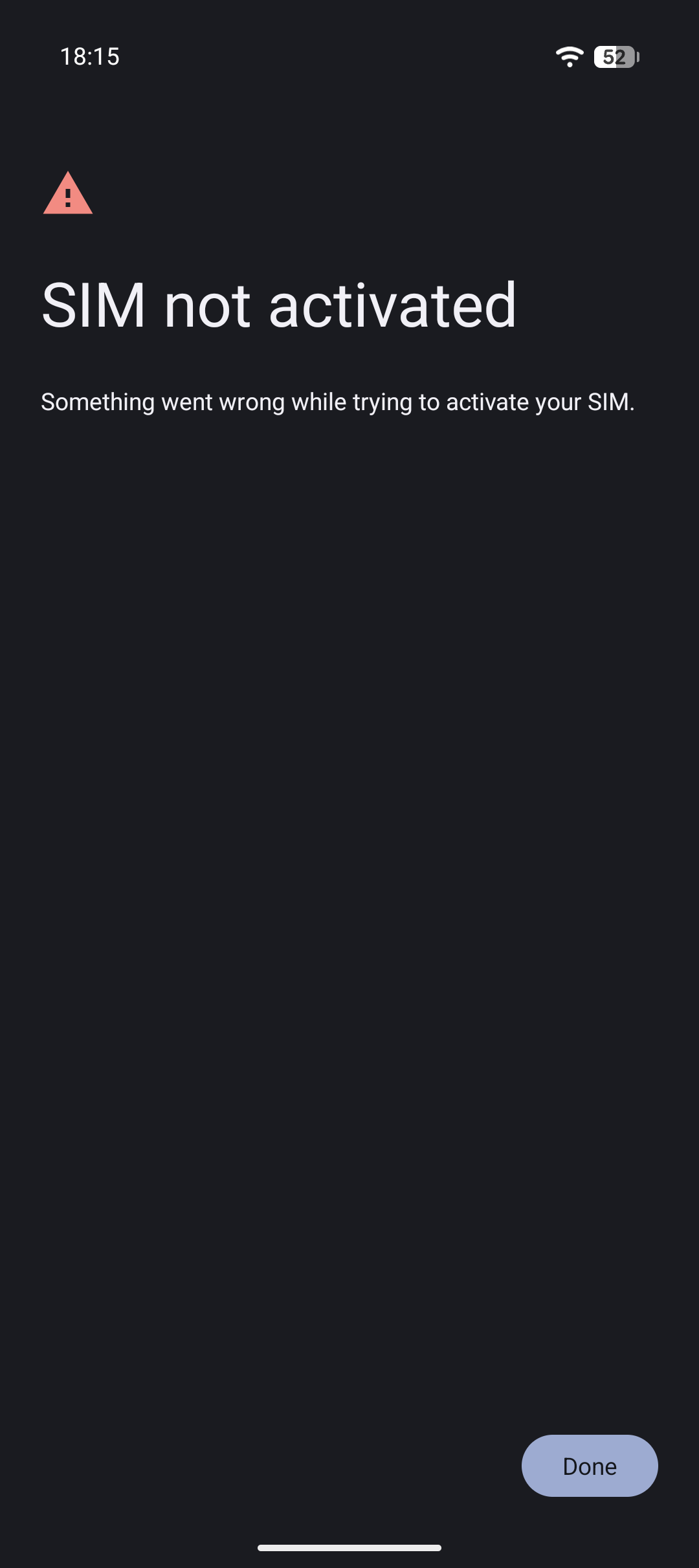
“Something went wrong” is not helpful. It’s not a diagnostic messages, it’s an “up yours.” I tried several ways. I tried waiting an hour. I tried turning it off and on again. No luck. I tried Consumer Cellular chat. They’ve all gone home for the night. I called, and got led through some steps by a cheery bot that said, “no problem, I’ll fix it now then try your phone in an hour; if you have any more problems call 888-4—” at which point the phone abruptly disconnected. They’d succeeded in cutting off my old SIM but, of course, the new phone didn’t activate. The old phone no longer works at all, even for WiFi calling. I waited the hour, but the new phone still reports “No SIM. No service.” I tried logging into the CC website, but they want to send a second factor by text or a phone call. So I can’t call the number they told me to call, and I cannot reach them online. There’s an old joke it IT that goes…
Henceforth, all network problem reports will only be accepted by email.
And so it is. I borrowed HA’s phone and called, but the bot only said it could see nothing wrong and it would connect me to a person, except they’ve all gone home for the day.
So I’m stuck in the aftermath of a hurricane with two phones that don’t work. Nobody calls me anyway, but a lot of folks send me text messages. What will my adoring public do?
Fortunately, HA doesn’t have to go anywhere in the morning so I can use her phone to try to get this all sorted out.
—2p
addendum 2026-08-20T13:20-10:00
Consumer Cellular was unable to activate the phone and suggested I return it to Google, but it’s been months since I got it so that isn’t going to happen. At least CC were able to re-activate my Pixel 6, but it still randomly resets so things aren’t ideal. Having a phone is kind of important while I’m trying to clean up after hurricane Lala.
There was a very recent (July) Google Pixel help post with the exact same problem and screenshot. The thread was quickly locked and the only answer to the post directs to another thread:

The linked thread has been deleted, and isn’t archived by the Wayback Machine :(.
It turns out that some Pixel 9 phones actually have a bug that causes eSIM activation to fail if the phone’s bootloader has been unlocked. Apparently, Google is scrubbing mentions of this from the web (lots of references but with broken links). Right now, this three month old video talks about it but without specific solutions except “don’t unlock,” which makes the phone worthless to me.
There are several posts that seem to indicate that a physical SIM will still work, so I think I’ll ask Consumer Cellular if they can send me a physical SIM.